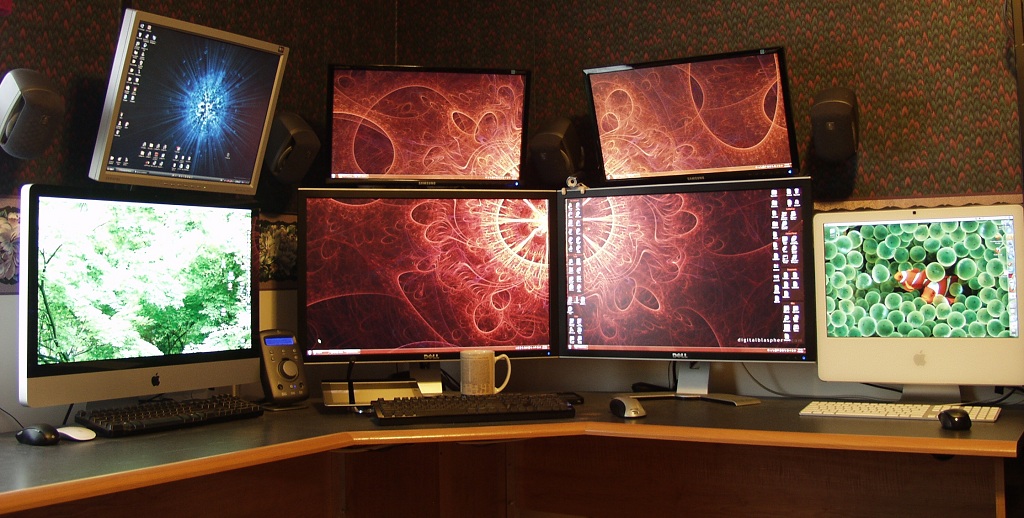
After seeing Stefan Didak’s and Mitch Haile’s home offices, I thought I would put together some pictures of my home office. Although not quite as nice as theirs, I hope you’ll enjoy them as much as I do, along with other nice home office setups at the Lifehacker Workspace Show and Tell group.
New Office Update
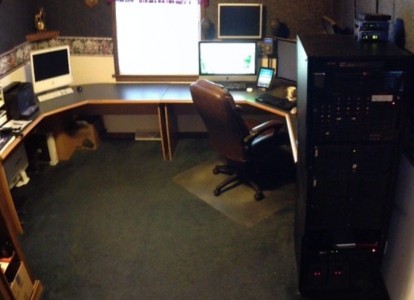 This is the latest version of my home office. I moved to a “new” home in 2011, and I’ve been slowly getting the new office in shape. You may wish to check out my previous home office page. Unlike the previous basement office, this office is on the main level of my home, right off the living room. The new office is approximately 12’x13′, which is about half the size of the old office. The old office was only that large because that place was being rented and that room just happened to be that size.
The wall coverings and flooring are still the same as when we moved in. They are a little dark and flowery, but it’s high quality linen type wall paper, so it will do for now. The french doors open to the living room, so I can shut out the TV noise if I need to. It also has a built in bookshelf. My future plans include new paint and new hardwood flooring.
The Quick Run Down
If you’re not into reading, or you’re in a hurry, here’s the quick run down of the office setup. Two 30″ monitors and two 23″ monitors on my main machine running Windows 7. A 27″ Apple iMac. A 21″ monitor above the iMac connected to a KVM switch for the 2nd and 3rd machines. iPad2. Logitech Z-680 sound system with wall mounted speakers that is fed by a Radioshack mixer allowing all devices to play audio through the single set of speakers, at the sound level I like for each one. Self built rack enclosure holding three machines, the mixer, KVM, backup drives, and backup batteries.
The Desks
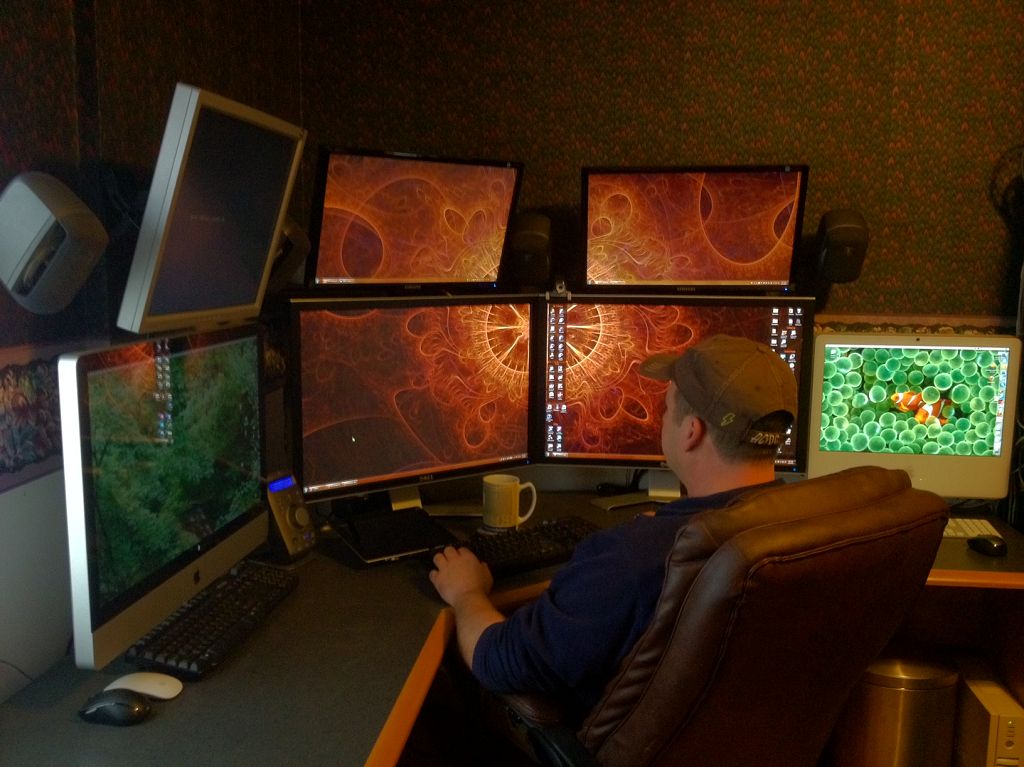 I love this desk. This is the second one I’ve had, the first did not survive a move from the west coast. I like that it has a round edge, which is easy on the wrists with the way I sit. I actually have two of these desks. The new house really didn’t have a good spot for the other one, so I put it on the new office. The left desk is actually shorter on both ends of it. I cut out about 2″ on each end to make it fit between the walls and the file cabinet. I modified the right side desk to hold the sub-woofer on a self in the corner, and to have legs for more foot room. The desks are approximately 6 feet in each direction of their “L” shape, which amounts to about 15 feet of desk length. I’ve been asked where I got the desks – I don’t recall which office store it was (OfficeMax or Staples), but I’ve looked and I don’t think they are available anymore.
The Rack
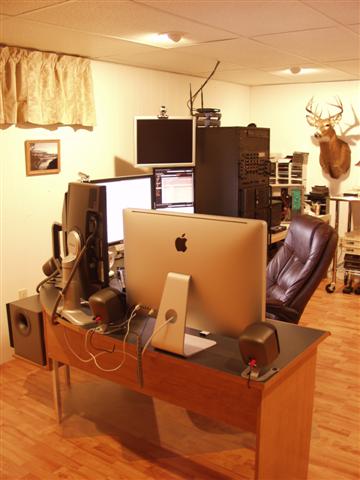
 Okay, I’ll admit that the rack has a certain coolness factor that is really hard to beat, but it’s also really handy for organizing the equipment in a small space. I built the rack myself from .75″ square tubing that I MIG welded together. The sides and top are aluminum. I purchased the rails because I wasn’t about to drill and tap 216 holes. The computers are standard 4U cases which allow me to use regular run of the mill components inside, such as power supplies, motherboards, and video cards. I built the rack this tall back in the days before virtual machines, when I had planned on adding some test machines to it. Now I wish it was a bit shorter.
The rack also holds a 4 port KVM switch so I can toggle up to 4 computers through one keyboard, mouse, and monitor. My main multi-monitor machine doesn’t go through the KVM, but I do operate all of the other computers via the main machine keyboard and mouse using ShareMouse.
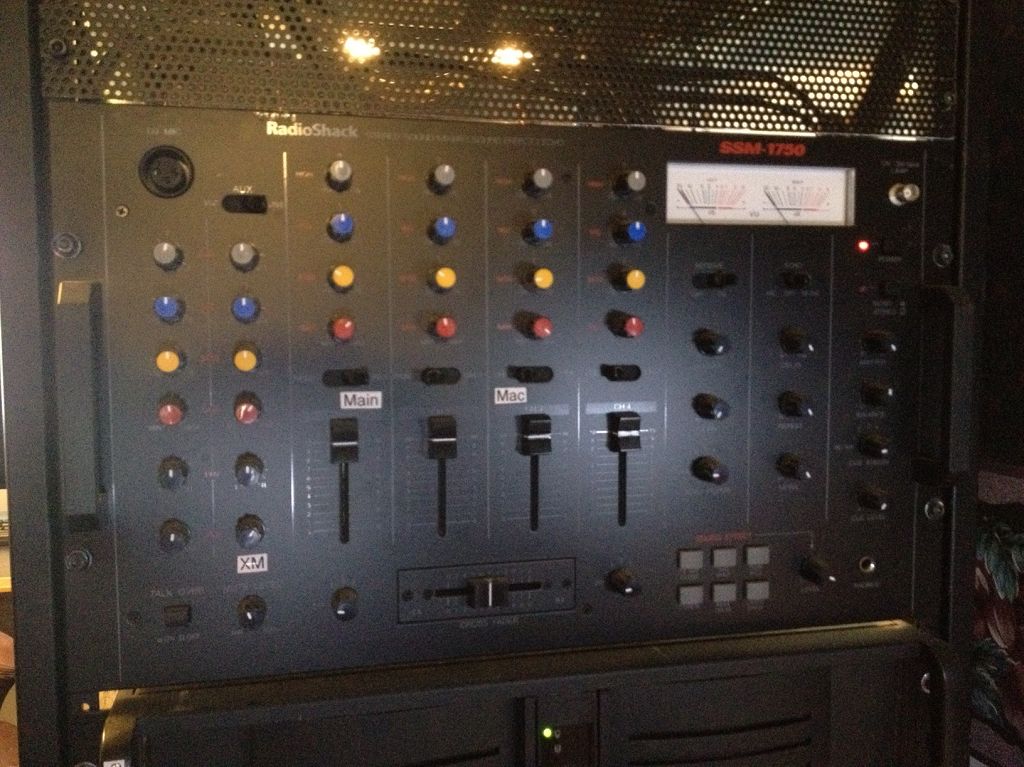
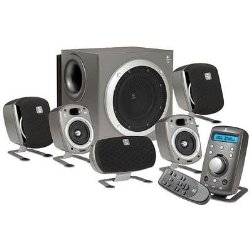 Next in the rack is the RadioShack SSM-1750 4 channel audio mixer. This enables me to connect all of the computers and other audio devices to the mixer, adjust their levels, and then output them to a single set of speakers via the Logitech Z-680 sound system. Plus, all the knobs and switches look really cool.
Obviously next are the three 4U computers, and below that a CyberPower 1500va uninterruptible power supply.
The shelf near the bottom is for various items such as e-sata and USB backup drives. Below the shelf there is a TrippLite power strip with 2 plugs in the front, and 12 in the back.
Next in the rack are two 1500va APC uninterruptible power supplies (backup batteries) to keep things running when the power goes out.
The Main Machine
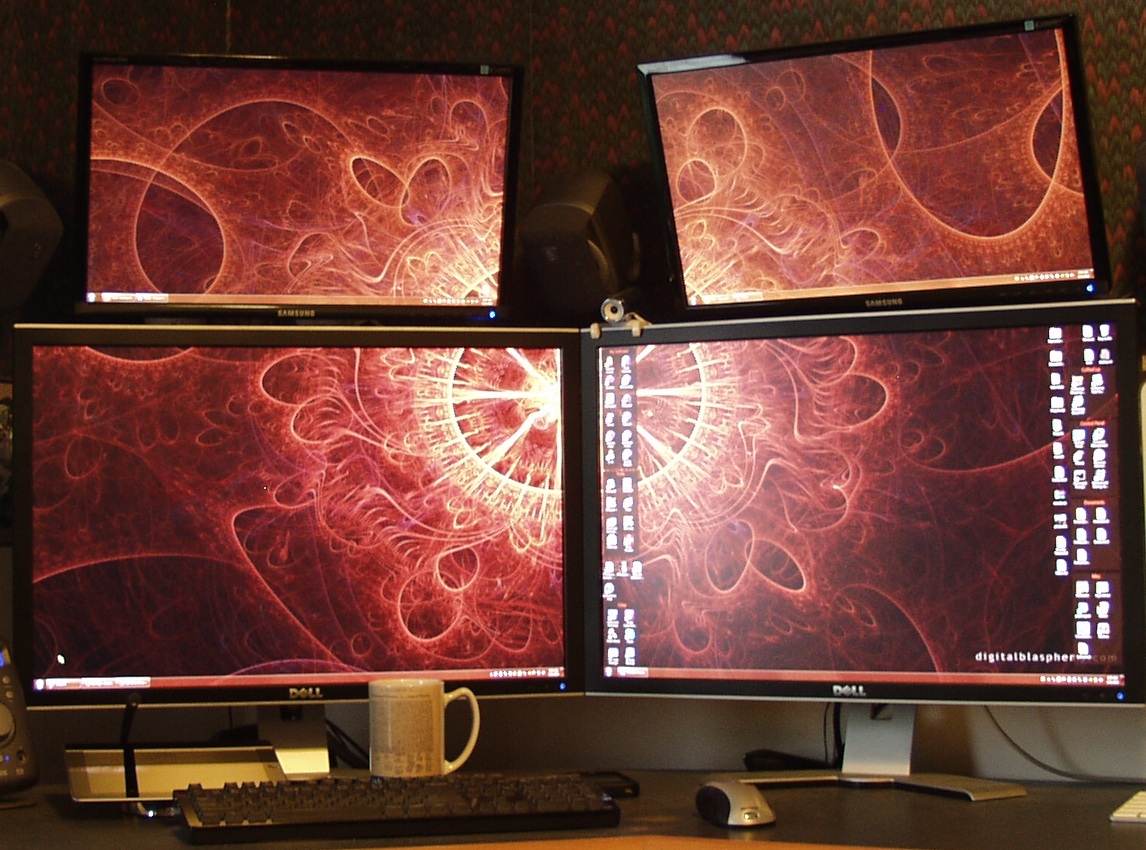 My main machine is a quad core Intel Windows 7 box running on an Asus P53E deluxe motherboard, attached to the 30″ Dell monitors and the 23″ Samsung monitors via two nVidia video cards. A dasKeyboard and Microsoft wireless mouse provide the control. It hosts three internal SATA drives and two external SATA drives. One of the internal and both of the external SATA drives are for backups. It has 8GB of DDR-3 RAM, which is the most the motherboard can take. One of the internal drives is a 2TB backup drive, and one external drive is a 1TB backup drive.
The 30″ monitors each have a resolution of 2560×1600 and the 23″ monitors each have a resolution of 2048×1152. I plan to write a separate page on how I utilize my multi-monitor layouts.
The Other Machines
The other machines in the rack are a dual core Windows XP machine (#2), and the other machine (#3) I don’t even recall what it is, it’s just around to maintain some old software and to play around with. Machine #3 also has a removable drive bay for the primary drive, so I can swap in other OS’s anytime I want. That was the old school way of testing before Virtual Machines. These two machines connect to the same monitor/keyboard/mouse via the Belkin 4 port KVM. The monitor above the iMac is connected to the KVM, which is kind of high up in the viewing angle, but I don’t look at it for very long. The 3rd and 4th KVM inputs are handy for hooking up other computers that I need to work on for a short period.
The iMac
The iMac is a 27″ 3.2ghz Core i3 with 8gb RAM. I use it for testing software in virtual machines via Parallels, and for iOS development (just starting to learn that). I’ve got a standard PC keyboard attached because the Apple keyboards suck. Other than it’s just a standard iMac.
Other Stuff
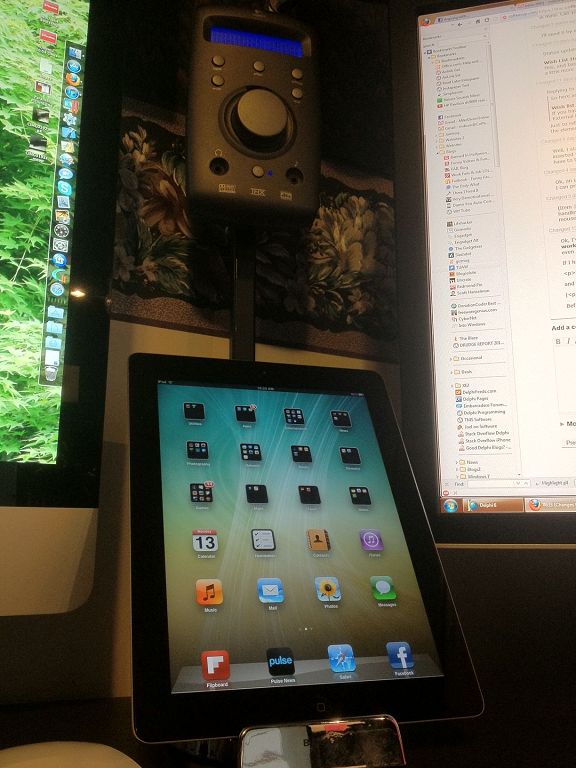 The iPad2 sits in a Belkin stand, and above that you can see the Logitech Z-680 sound system controller that I’ve mounted on an old monitor stand that I made from square tubing and a little welding.
My web cams are an Agent V5 and a Logitech QuickCam 4000. Having developed video chat and web cam software, I have a drawer full of old cams also. I also use the camera for conferencing with clients via Skype.
Questions I’m often asked
I’ve received questions over time, so I thought I would post them here.
What desk is that? I’m not sure. I think I bought it at OfficeMax or possibly Staples. It does not appear to be available anymore.
Do you really need that many screens? No, but it sure helps. I write software, so I’m often looking at a lot of source code (text). Sometimes I”m running and debugging apps, so I need to see the code and debug windows as well as the app window at the same time. It also helps with large reference documents while coding, and being able to glance over and look at IM’s and emails while working and continuing on with as little break in the workflow as possible.
Is it hard looking up at the top monitors? The top left monitor on the main machine runs TexNotes Pro and Thunderbird. The other 23″ monitor normally runs only Outlook and Trillian Instant Messenger, so the time spent looking up at these is minimal.
Do you like the Mac OS? No. It runs virtual machines very well, but other than that I find the Mac OS very lacking. However, like I’ve always said, “The best tool for you is the tool that works best for you.”
Do you have an e-mail address where I can reach you? If you wish to contact me, feel free to do that on my Contact page and I’ll reply via e-mail.